

Multisélection
3D Juump est bien plus qu’un simple viewer 3D. Découvrez comment sélectionner plusieurs objets à la fois et comment prendre garde à ne sélectionner que ceux qui vous intéressent.
User Manual (english only)
Section intitulée « User Manual (english only) »Selection
Section intitulée « Selection »The Selection enables the user to choose which object(s) he wants to interact with.
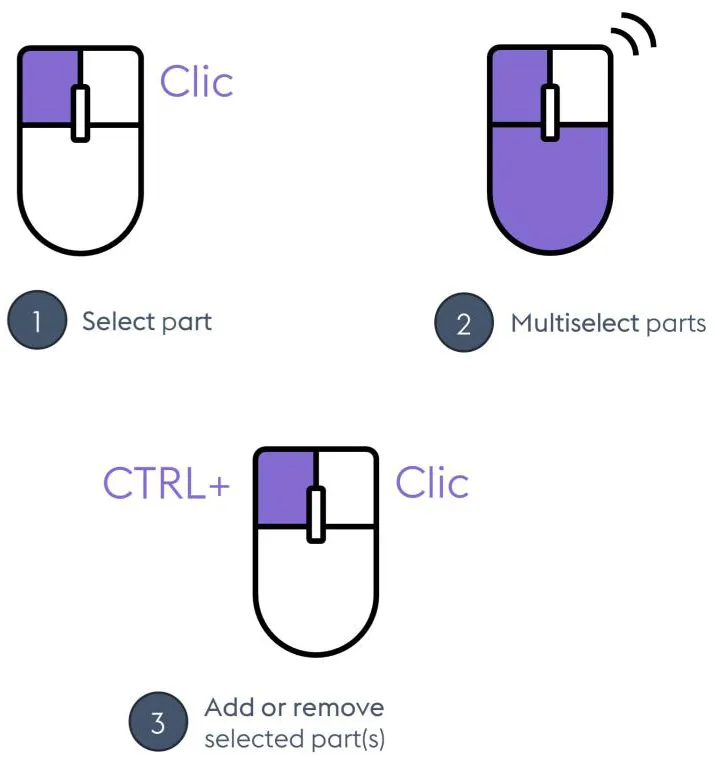 Navigation / Objects selection
- Select object: Select the object pointed by the mouse cursor
- Multiselect objects: Create a selection rectangle / release left mouse button to select every object in the rectangle
- Add/remove selected object(s) : Add (resp. remove) the selected objects to (resp. from) the current selection
Selected element in the 3D view: Once an element has been selected with a left click in the 3D view, it flashes, the corresponding element is highlighted in the Product Structure and its metadata is automatically displayed in the Mini-Id-card.